Yesterday’s spirit. Tomorrow’s games.
Rediscover the joy of video games.
NEXTALGIA brings back the spirit of the great arcade games and the golden age of home computers. Discover original creations inspired by the mechanics that shaped video game history, rebuilt with today’s technology.
- Version
- Size
- Released
- Works on
- Windows 10 and 11, 64-bit
- Signature
Verify your download
Before running the installer, you can check that it matches the file we publish: compare its SHA-256 checksum with the one shown here.
Matching checksums mean the file was neither altered nor truncated during the download.
Expected SHA-256 checksum
PowerShell command
Get-FileHash .\Nextalgia-Setup.exe -Algorithm SHA256
Open PowerShell in the folder that contains the file, run the command, then compare the “Hash” value it prints with the expected checksum (upper and lower case are equivalent). If they differ, do not install the file and download it again.
An independent studio, original games
NEXTALGIA is an independent studio reinventing the spirit of 80s and 90s video games — the Amiga, the arcades, the early days of home computing — with brand-new games.
-
Original creations
Every game is designed by the studio, building on the mechanics that shaped video game history.
-
Today’s tools
The games are made with, among other things, the help of artificial intelligence and the Godot engine.
-
No ROMs, no emulation, no clones
NEXTALGIA distributes no ROMs, emulates no machine and copies no commercial game.
A look at the app
NEXTALGIA in pictures: the catalog, the library and the downloads.
-
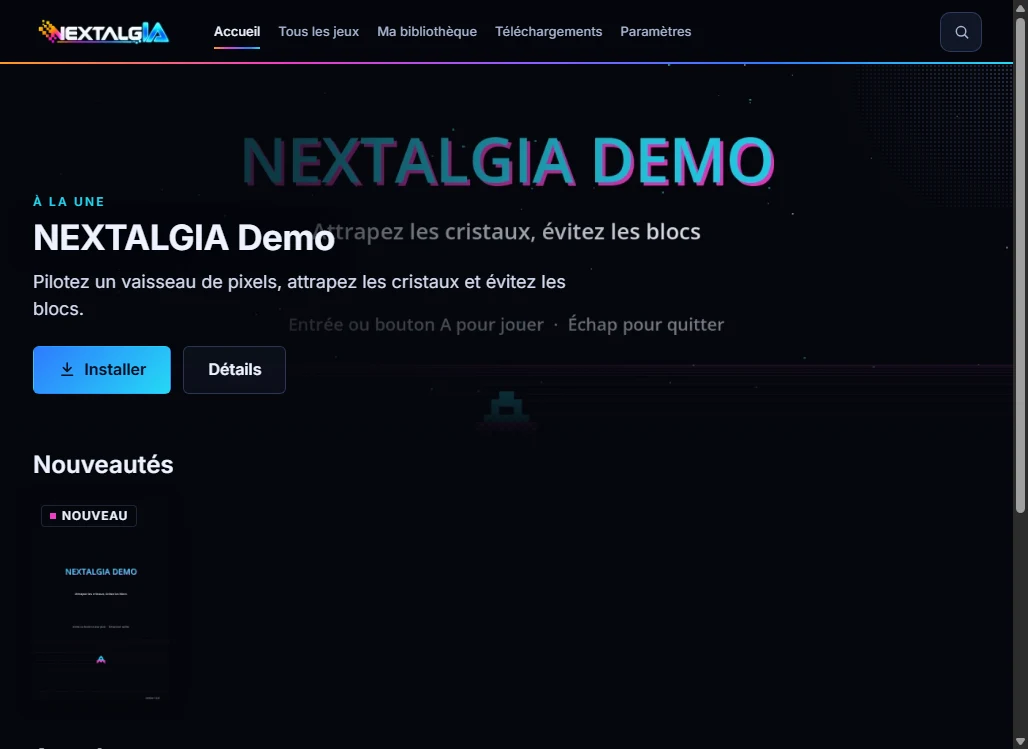
Home: the featured game and the catalog rows. -
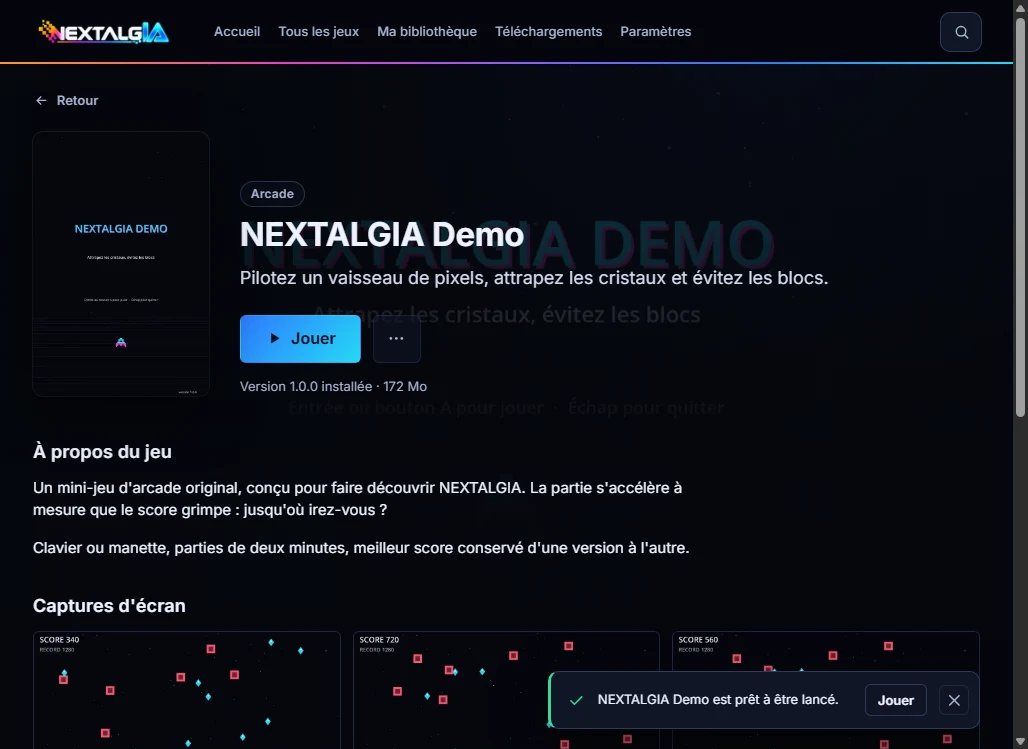
An installed game’s page, ready to play. -
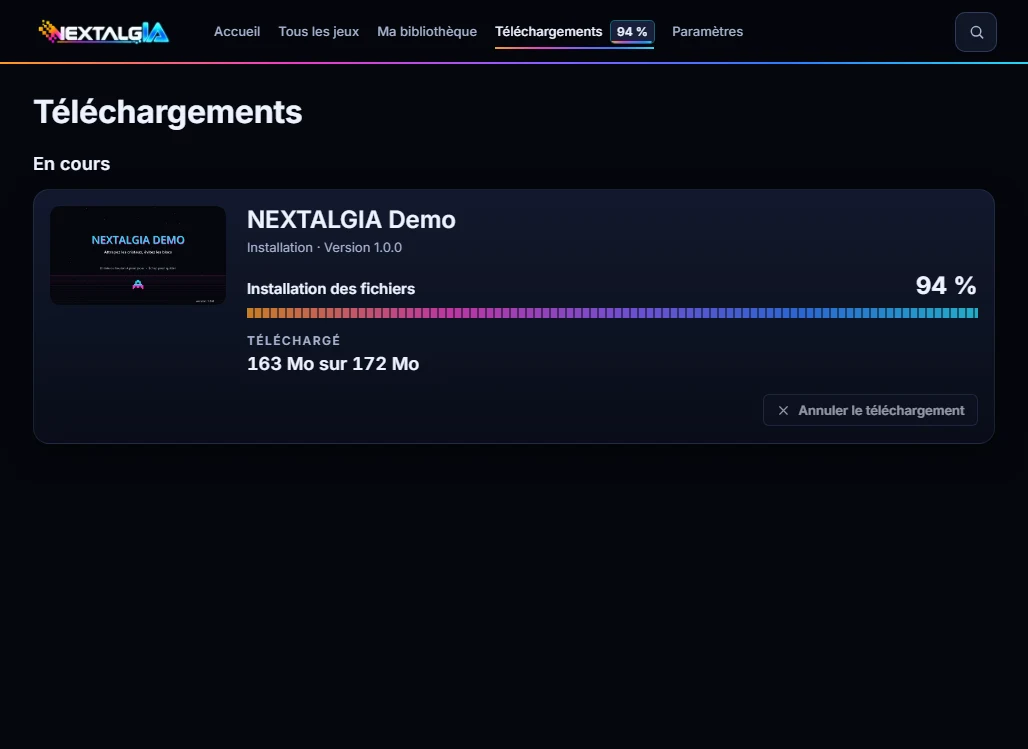
A download, verified then installed.
The catalog
The games published so far, read live from the NEXTALGIA server. You install them from the app.
The catalog is displayed when JavaScript is enabled. You can also browse it in NEXTALGIA.
Loading the catalog…
The first games are on their way
The catalog is being prepared. Games will appear here and in NEXTALGIA as soon as they are published.
The catalog could not be loaded right now.
NewSoon
Everything you need to play, nothing more
A simple app, built to install a game and get straight to playing.
-
Free
NEXTALGIA is free to download and free to use.
-
No account
No sign-up, no password: install and play.
-
Automatic installs and updates
A game installs in one click, then keeps itself up to date.
-
Playable offline
Once installed, your games start without an Internet connection.
-
Verified, authenticated downloads
Every game is signed by the studio; NEXTALGIA checks that signature and the file’s integrity before installing it.
-
No ads, no tracking
No advertising, no trackers, no profiling.
How it works
-
Download and install NEXTALGIA
Get the Windows installer and run it: the app is ready.
-
Pick a game
Browse the catalog and install the game you fancy in one click.
-
Play
Start your game from the library. Updates take care of themselves.
Frequently asked questions
The essentials before you install NEXTALGIA.
Is NEXTALGIA free?
Yes. NEXTALGIA is free to download and free to use, with no advertising.
Do I need an account?
No. No account, no email address and no password are required.
Which systems does NEXTALGIA run on?
Windows 10 and Windows 11, 64-bit. There is currently no version for other systems.
Do the games work offline?
Yes: once installed, games start without a connection. You still need the Internet to browse the catalog, download a game and receive updates.
Why does Windows show a warning during installation?
Windows checks the digital signature of programs to know who publishes them. As long as the NEXTALGIA installer is not signed with a certificate in its publisher’s name, Windows cannot identify where it comes from: it may show a warning or, depending on your security settings, block the installation.
The signing status of the current release is shown under the download button. Even once signed, a recent program may still trigger a warning until Windows recognizes it.
Do not turn off any Windows protection to install NEXTALGIA. If the installation is blocked on your computer, wait for a signed release. You can also verify the file’s checksum to make sure it has not been altered.
What happens to my saves when a game is updated?
They are kept. Games store their saves on your computer, outside their installation folder: an update replaces the game files without touching your progress.
What data is collected?
Very little: no account, no ads, no trackers, no cookies. The server only keeps anonymous daily counters (downloads started, completed or failed) and, to limit abuse, a non-reversible fingerprint of the IP address, kept for 24 hours at most. Details are in the privacy policy.
How do I uninstall NEXTALGIA?
To remove a game, open its page in NEXTALGIA and choose “Uninstall”. To remove the app, open Windows Settings, go to “Apps”, then uninstall NEXTALGIA. Uninstall your games first if you want to free up their disk space. Game saves stay on your computer.
Ready to play?
Install NEXTALGIA and rediscover the thrill of arcade games, rebuilt with today’s tools.
Download NEXTALGIA free for Windows